"Great, essential to scale your DTC brand"
"saved us hours every week."
"beats Foreplay in pricing, hands down."
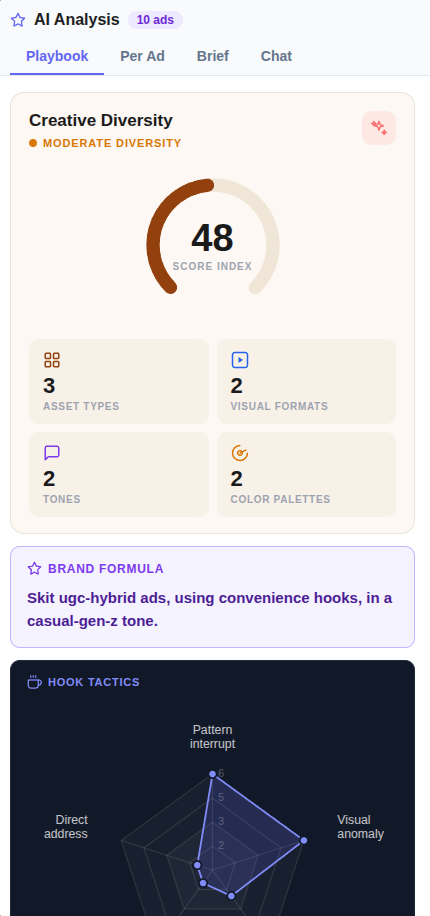
Creative Diversity is Your Sharpest Briefing Tool.
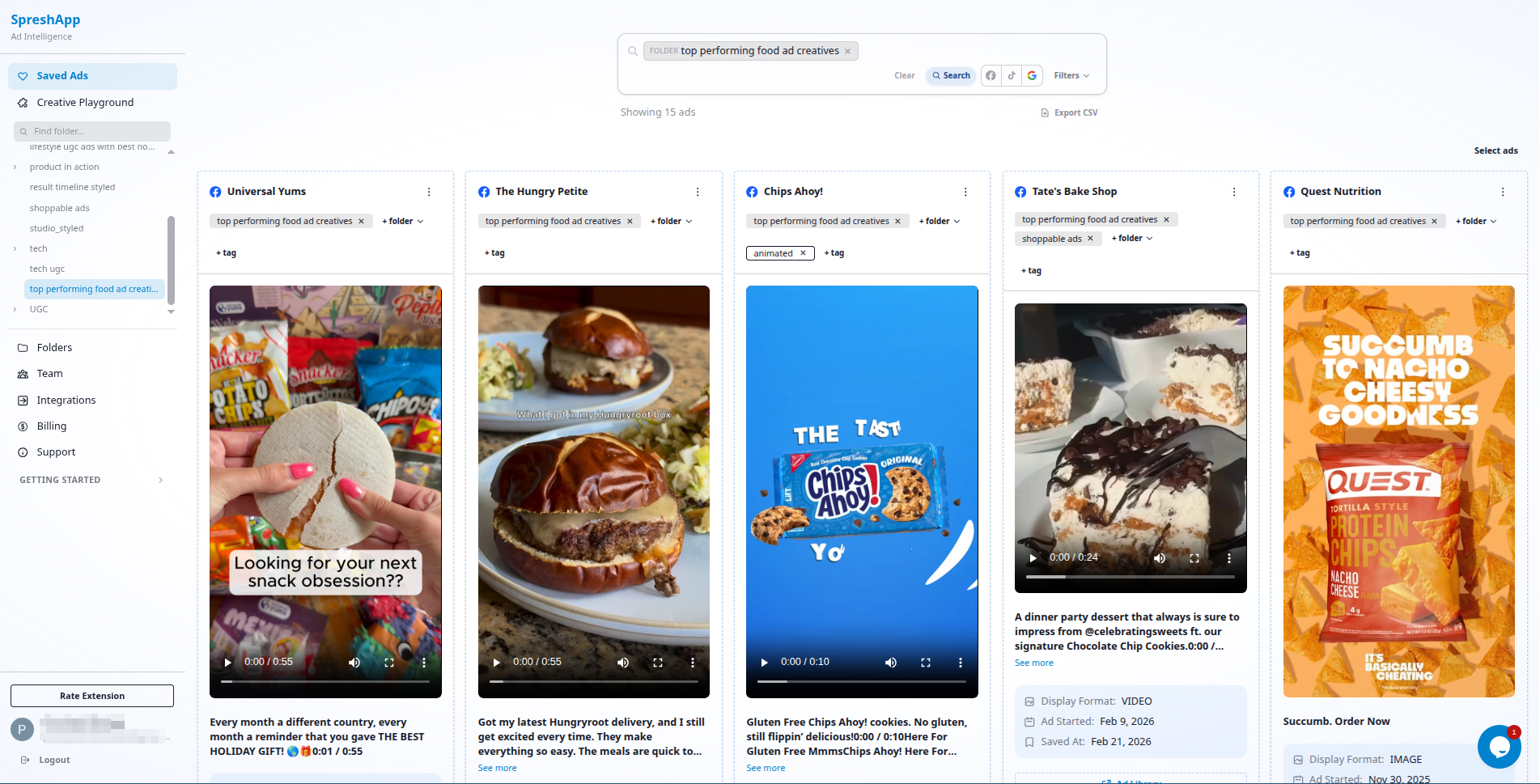
Spreshapp lets you capture, tag and analyze winning ads across any niche, so every strategy you pitch is backed by real creative proof.
 Install Chrome extension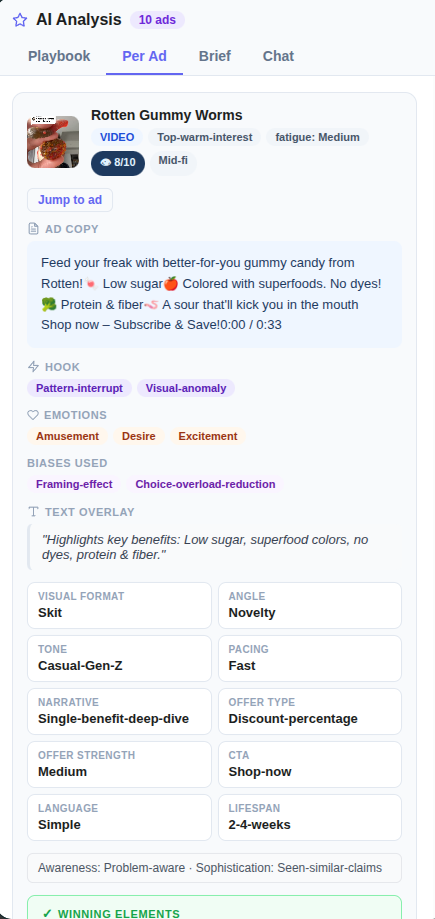
TRUSTED BY BRANDS WORLDWIDE





Why Creative Strategists Choose SpreshApp
Research takes longer than the actual brief
You spend hours hunting for reference ads, screenshotting, and organizing them into folders. SpreshApp collapses that workflow into seconds. Save, tag, and organize while you browse, without breaking your flow.
Clients don't trust creative recommendations without proof
Saying "this angle will work" isn't enough. SpreshApp gives you a library of proven ads to point to. When you brief from actual competitor data, clients trust the strategy because they see the evidence.
Disconnected swipe files across multiple platforms
Screenshots in Google Drive, saved posts in Instagram, bookmarks in your browser. SpreshApp centralizes everything with structured tagging, so you can find the right reference in seconds, not minutes.
How Creative Strategists Use SpreshApp
Building briefs backed by competitive proof
Save 20-30 competitor ads for a project. Use AI analysis to identify dominant hooks, formats, and messaging patterns. Build a brief that references specific ads, explains why they work, and maps the opportunity space.
- 1. Save 20-30 competitor ads for your project
- 2. Use AI analysis to identify dominant patterns
- 3. Map hooks, formats, and messaging themes
- 4. Identify white space and opportunity angles
- 5. Build a brief with specific ad references
Creative trend tracking across verticals
Monitor creative patterns across multiple niches by saving ads from diverse brands. Spot emerging formats (like founder testimonials or reaction videos) before they saturate. Bring fresh ideas to every project.
- 1. Save ads from diverse brands and verticals
- 2. Track emerging formats and hooks
- 3. Note trends before they saturate
- 4. Bring fresh ideas to every brief
- 5. Position clients ahead of creative trends
Pitching with visual competitive analysis
Before a pitch, compile a folder of competitor ads showing what the market is doing. Share the link in your presentation. Let the work speak for itself instead of building elaborate competitive matrices manually.
- 1. Compile competitor ad folder before pitch
- 2. Analyze competitive landscape with AI
- 3. Share folder link in presentation
- 4. Let visual evidence support your strategy
- 5. Save hours on manual competitive matrices
Pricing
Choose the plan that fits your workflow. Toggle monthly vs annual billing and start scouting today.
Solo
Growth
Agency
Works with your AI tools




FAQ
Everything you need to know before you start.
How is SpreshApp different from a regular swipe file?
How is SpreshApp different from a regular swipe file?
Swipe files are static. SpreshApp adds AI analysis, structured tagging, and instant sharing. You don't just save ads, you understand why they work and can communicate that to clients and creative teams.
Can I analyze creative patterns across my entire library?
Can I analyze creative patterns across my entire library?
Yes. Use the Chat with Ads feature to ask questions like "What hooks are my competitors using most?" or "Show me all ads using founder testimonials." The AI searches across your saved library instantly.
How do I brief designers from my saved ads?
How do I brief designers from my saved ads?
Organize ads into folders by project or angle. Share the folder link with your designer. They see every ad with full context, images, and copy. No more sending scattered screenshots via email or Slack.
Does SpreshApp work with TikTok and Instagram ads?
Does SpreshApp work with TikTok and Instagram ads?
SpreshApp captures ads from the Meta Ads Library, which includes Facebook and Instagram ads. TikTok ad saving is on our roadmap. Currently, you can save TikTok ad screenshots manually and analyze them with our AI.
Can I use SpreshApp for multiple clients or brands?
Can I use SpreshApp for multiple clients or brands?
Absolutely. Create separate folders for each client. Tag ads by brand, angle, or campaign. Switch between contexts without mixing research. Your entire creative intelligence library stays organized.