Ad creative AI is actually two different things. Most people lump them together.
One category generates ads. The other looks at ads and tells you what's in them. Both use AI. They solve completely different problems, and the best teams are using both.
Making ads with AI
AdCreative.ai outputs static ad variations from your brand assets. Logo, colors, and product image go in, and combinations come out. It's mainly for teams that need a lot of volume and don't have bandwidth for a designer on every test.
Canva added AI to its existing tool, which is either obvious or actually smart depending on how you look at it. Text-to-image generation, background removal, AI copy suggestions. Teams already using Canva don't need a new workflow.
Pencil is video-specific. It generates cuts from existing footage and connects to your ad account to track which ones perform. DTC brands running Meta and TikTok use it.
Runway is a general AI video editor. More flexible, more technical. Ad teams use it for b-roll and extending footage, but it's not built specifically for ads.
Copy.ai and Jasper handle the copy side: headlines, body, CTAs. Good for generating a range of options to test. Not a replacement for a copywriter who actually understands the brand.
Analyzing ads with AI
This is the more interesting category, partly because fewer teams are doing it well.
Generating creative faster is fine. Knowing what to generate in the first place is better. AI analysis tools look at an ad and surface its structure: what kind of hook it uses, what audience it's aimed at, what emotional angle is being played.
Spreshapp does this for saved ads. Save a competitor's creative or your own, and the AI produces a breakdown across hook and strategy, audience framing, messaging, emotional approach, and an element-by-element read of the actual creative.
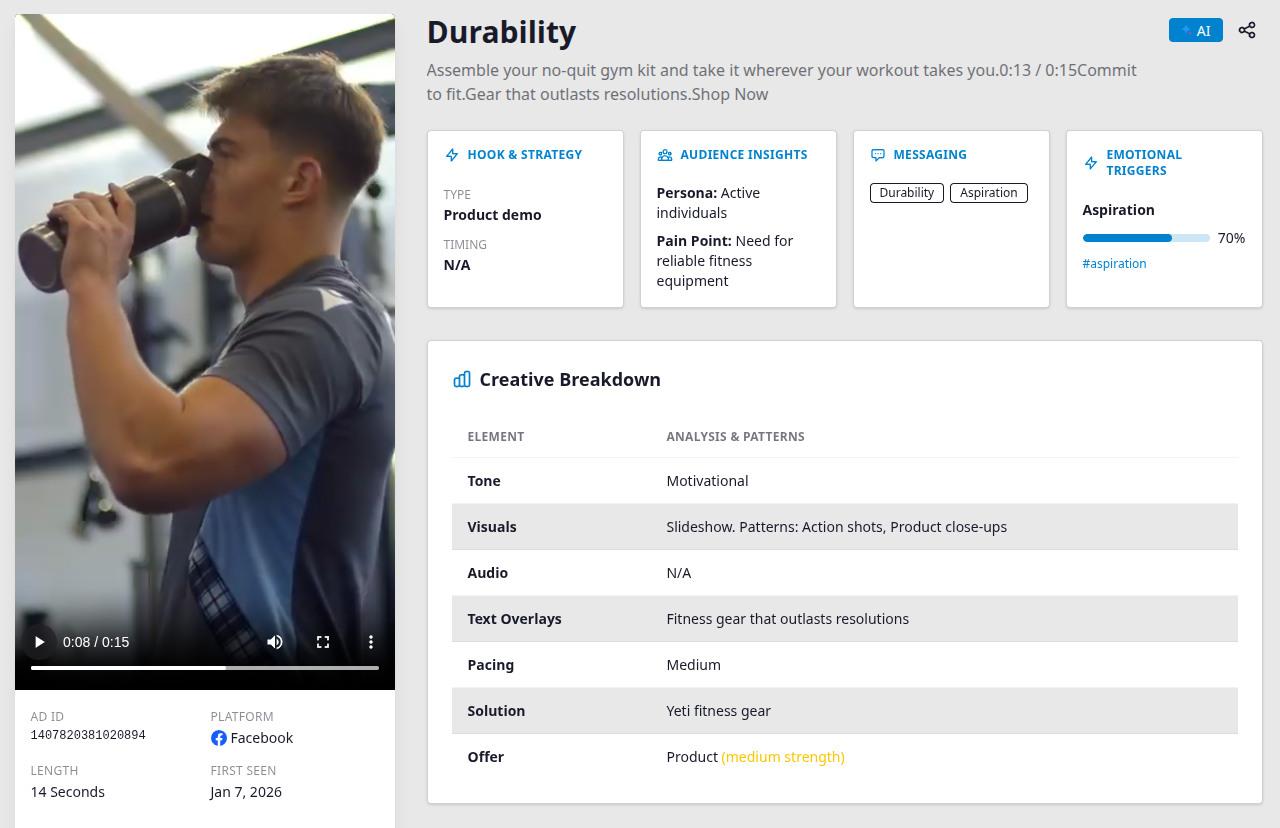
Tone, visuals, audio, text overlays, pacing, how the solution is framed, what kind of offer it is. The output is specific enough to use directly in a creative brief. It's the kind of read that used to take a senior strategist twenty minutes of focused attention. Spreshapp produces it when you save the ad.
The "What to Test Next" section is where it closes the loop. Based on what's in the current creative, the AI surfaces specific test ideas tied to that ad: a different product setting, an alternative CTA phrasing, a tone shift. The suggestions come from what's on screen, not a generic checklist.
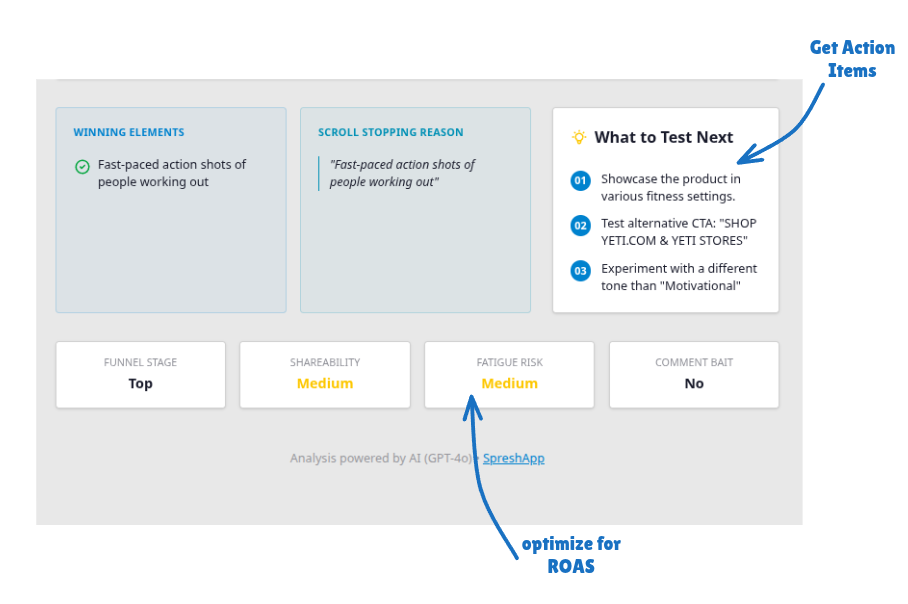
Fatigue risk and shareability scores round it out. Useful for getting a read on creative longevity before putting serious budget behind something.
Putting both sides together
Generate some directions with an AI creation tool, run them, save the results in Spreshapp, let the analysis tell you what separated the winners from the losers, and brief the next round from that.
The swipe file stops being a folder of screenshots and starts being a record of what you've learned. Each round of creative informs the next one, and the gap between "what we tested" and "what we know" gets smaller.
Spreshapp.com if you want to try the analysis side.