"Great, essential to scale your DTC brand"
"saved us hours every week."
"beats Foreplay in pricing, hands down."
Stop Paying Meta to guess.
See what's working before you spend.
Save winning ads from your niche, find the patterns with AI, and launch creatives backed by proof. Not gut feeling.
 Install Chrome extension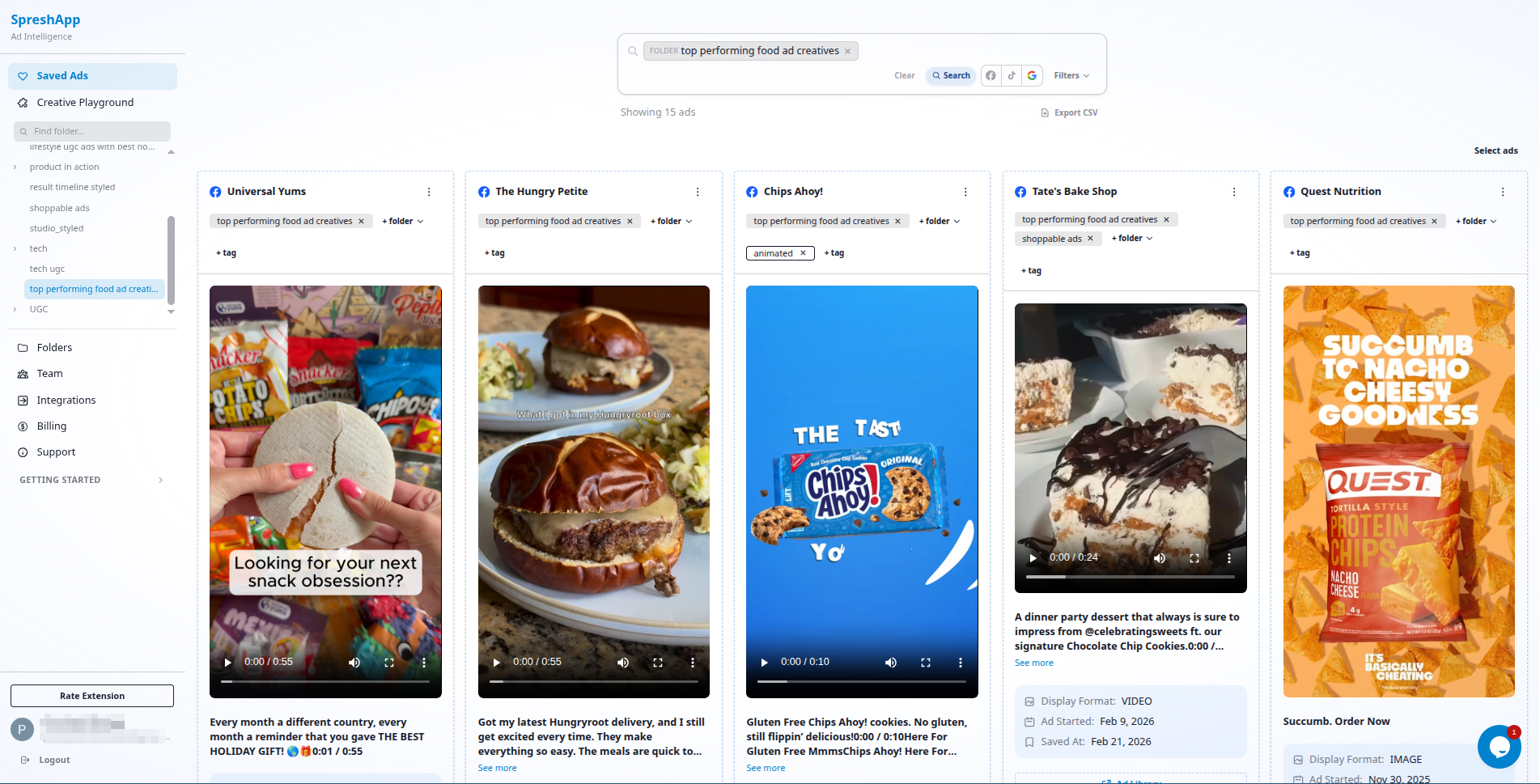
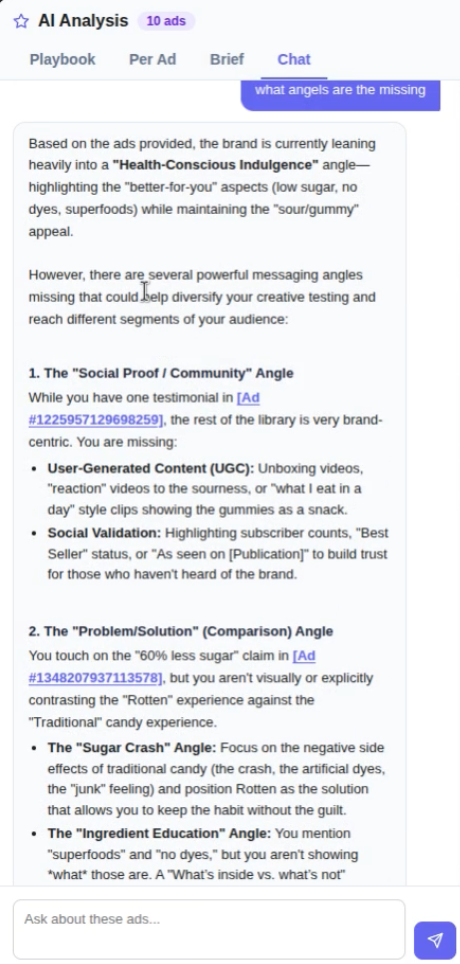
Chat with your ad library. Ask things like
"Which angles aren't my
competitors testing yet?"
Spot the gap. Brief your creative team in minutes, not hours.
Stop testing blindly. Ship ads you already know can win.
Every ad you save comes back decoded, hooks, angles, formats, what's scaling in your niche right now. Brief better creatives. Spend less. Scale faster.
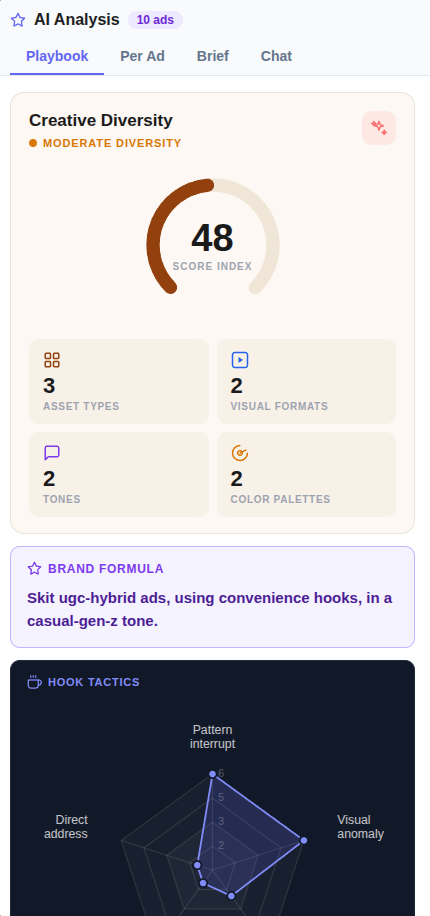
Creative Diversity Score
Catch creative fatigue before it tanks your ROAS. See whether your ads are pulling from the same tired playbook, and exactly which formats your biggest competitors are scaling right now.
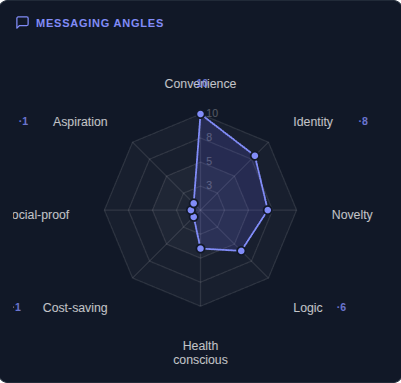
Messaging Angle Radar
Find the angle your entire niche is ignoring. Be first to own it, and watch your CPM drop while everyone else fights over the same exhausted hooks.
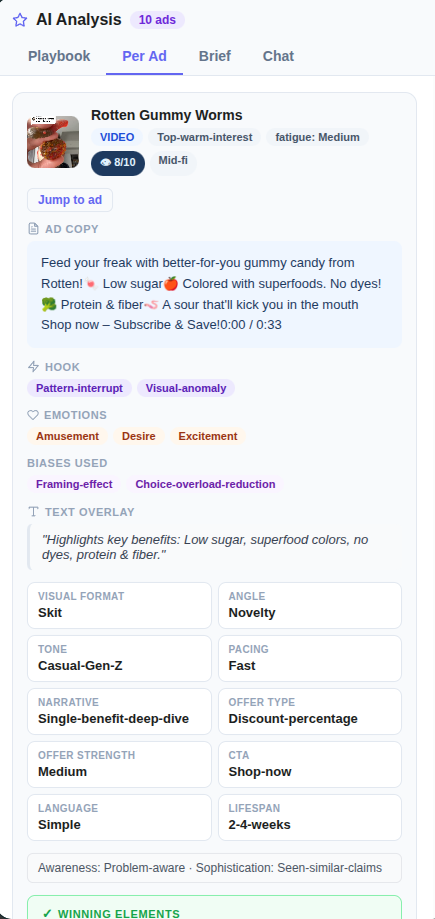
Per-Ad Library
Stop losing hours digging through screenshots. Every winning ad, tagged and searchable, ready to brief your editor in minutes instead of days.
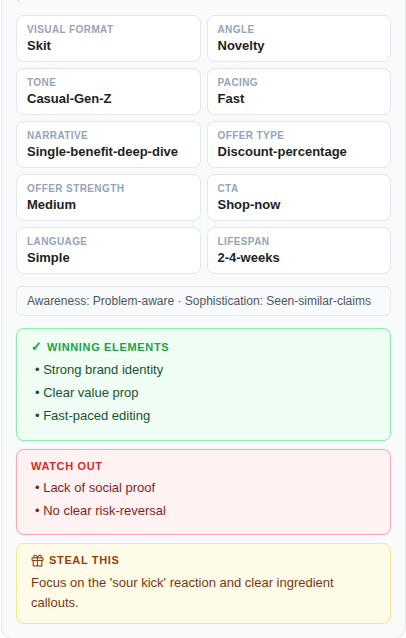
Deep Creative Breakdown
Get the exact formula behind any high-performing ad: format, hook, tone, pacing, and the specific moves that made it convert. Hand this brief to your creative team and ship a winner without the guesswork.
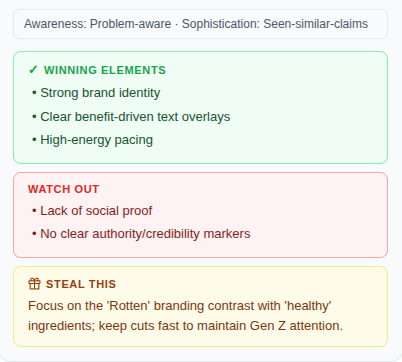
Steal This
Stop guessing why a competitor's ad scaled to seven figures. AI pulls out every winning move, every watch-out, so you replicate the results, not just the look.
Ask Your Ad Library
Before you brief a single creative, ask what is already working in your niche. Cut wasted test spend by launching ads you already know can win.
How it Works
Install the Chrome extension
Start downloading and saving ads from the Facebook Ads Library.
Organize and analyze your saved ads
Saved ads get saved on Spreshapp's dashboard and you can organize and analyze them. These ads are stored forever unless you explicitly delete them.
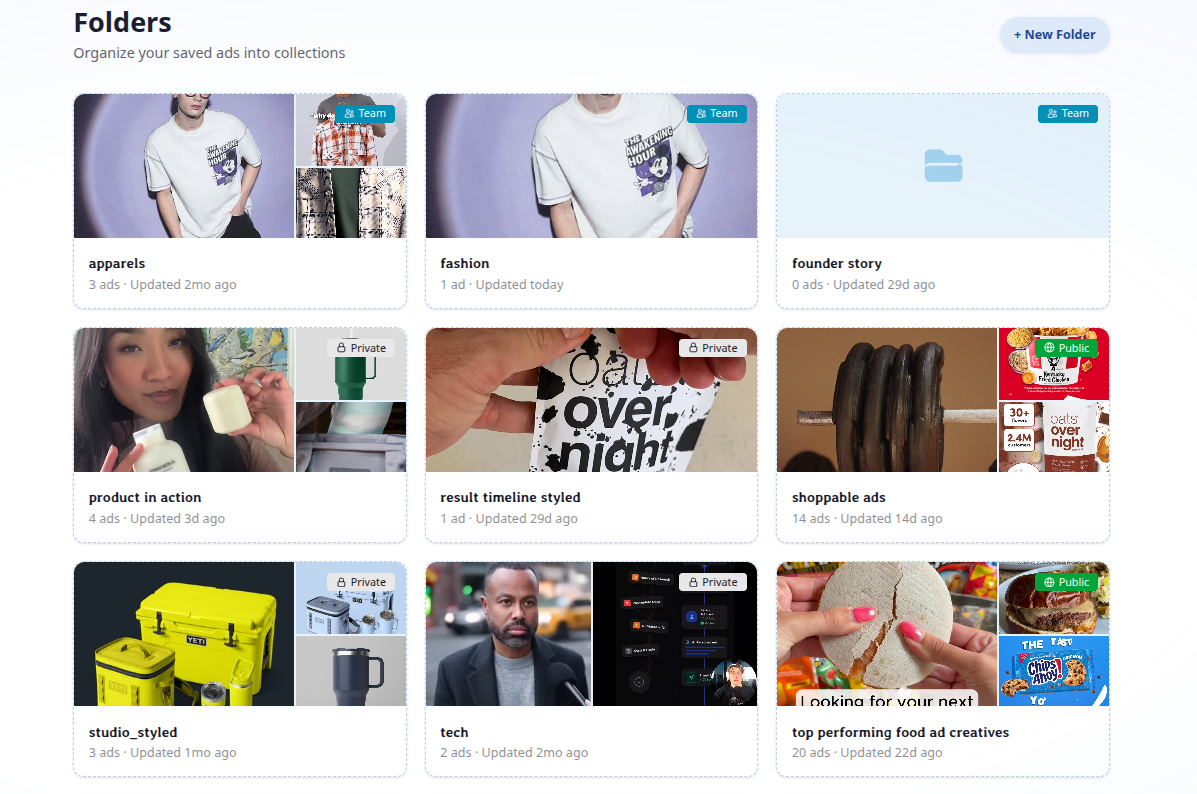
Collaborate with your team with shareable swipe files
Save winning ads into folders and share them with your team or clients in one click. Build a living swipe file everyone can contribute to, organized by campaign, niche, or creative style.
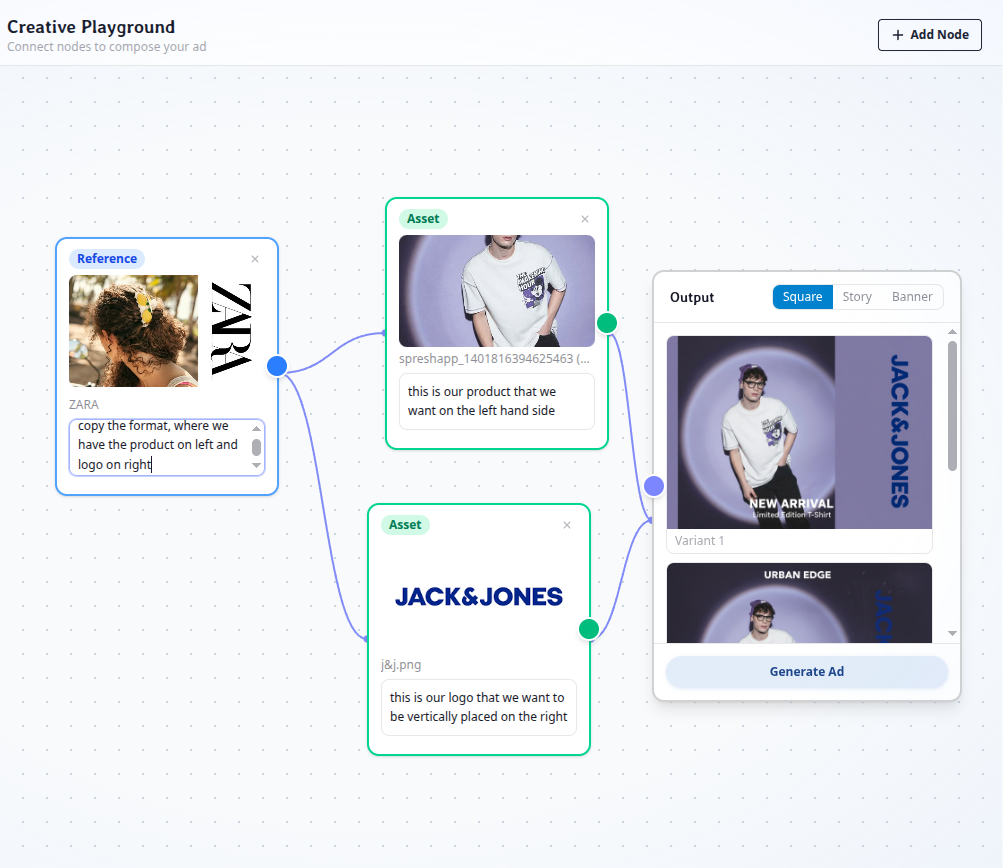
Turn saved ads into new creatives with the Creative Playground
Drag your saved ads, images, and text prompts onto a visual canvas. SpreshApp's AI connects the dots and generates new ad variations in square, story, or banner format, so your research becomes your next winning creative.
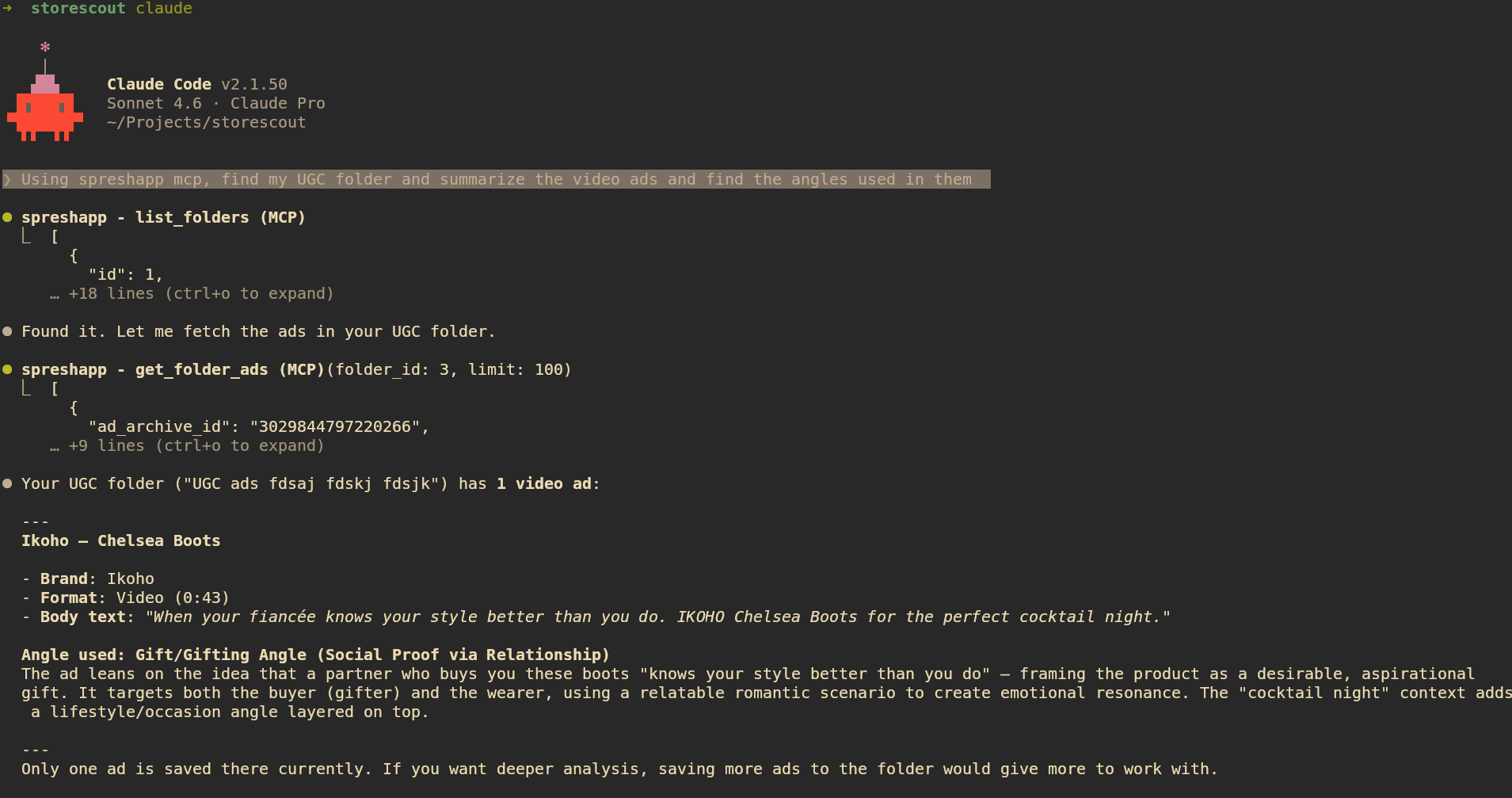
Chat with your saved ads using Claude Code
Connect Spreshapp to your favorite AI assistants (like Claude Desktop) using the Model Context Protocol. Query, search, and summarize your ad library using natural language.
Start building your swipe file in
under 5 minutes
The fastest way to curate, organize, and reference world-class marketing inspiration.
Install Chrome Extension
Add our lightweight extension to your browser with just one click and start browsing.
Save Ad Creative
See a great ad? Click save and we'll capture everything from copy to creative assets.
Analyze & Organize in Flow
Analyze ads with AI and Organize your findings with tags and collections to build your ultimate library.
FAQ
Everything you need to know before you start.
What does SpreshApp help me do?
What does SpreshApp help me do?
Download & Save Facebook ads. Export saved ads in csv, inspect active Facebook ad creatives using ai analysis to understand what’s working. Share your saved ad folder with team members
Do you support multiple countries?
Do you support multiple countries?
Yes. You can filter searches by country so you can focus on the markets that matter for your niche.
Can I save and export ads?
Can I save and export ads?
Yes. You can save creatives to your dashboard and export them for your research and creative workflows.
Can I get a free trial?
Can I get a free trial?
Yes. The first 14 days are completely free with no charge from your bank. After the trial ends, billing begins automatically based on your selected plan.
What happens when I hit my daily AI analysis limit?
What happens when I hit my daily AI analysis limit?
You can upgrade to Pro for a higher daily limit (50 analyses/day), or simply wait until the next day when your quota resets.
Can I switch plans or cancel anytime?
Can I switch plans or cancel anytime?
Yes. Upgrades and downgrades are prorated so you only pay for what you use. You can cancel anytime from your dashboard with no penalty.
Do all team members get full access?
Do all team members get full access?
Yes. Every seat on your plan gets full access to all features including the Chrome extension, ad saving, and AI analysis.