"Great, essential to scale your DTC brand"
"saved us hours every week."
"beats Foreplay in pricing, hands down."
Your Clients Need Creative Diversity. You Need the Intel to Back It.
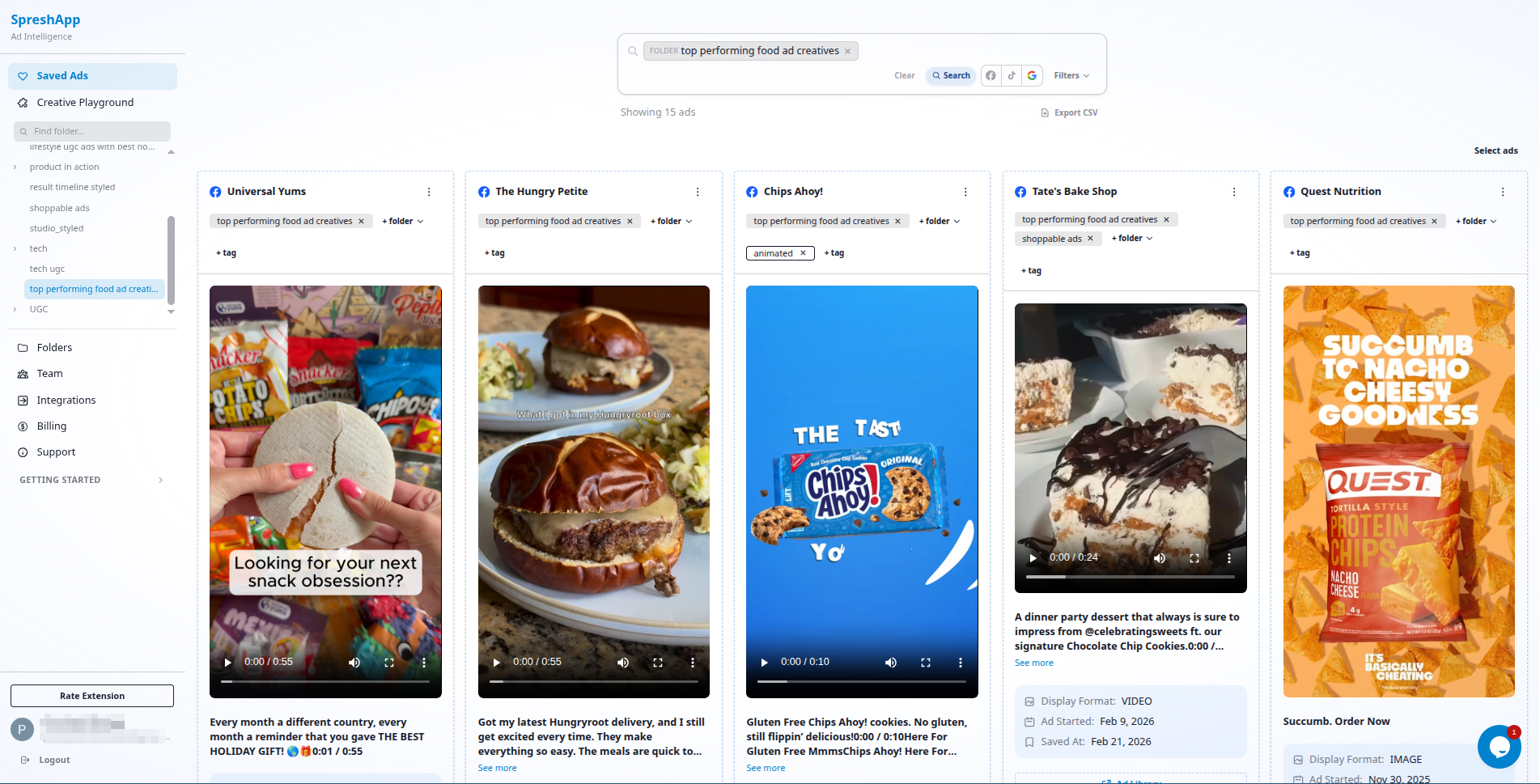
Give your whole team a shared creative intelligence library, organised by niche, angle and format, so every campaign you launch starts one step ahead.
 Install Chrome extension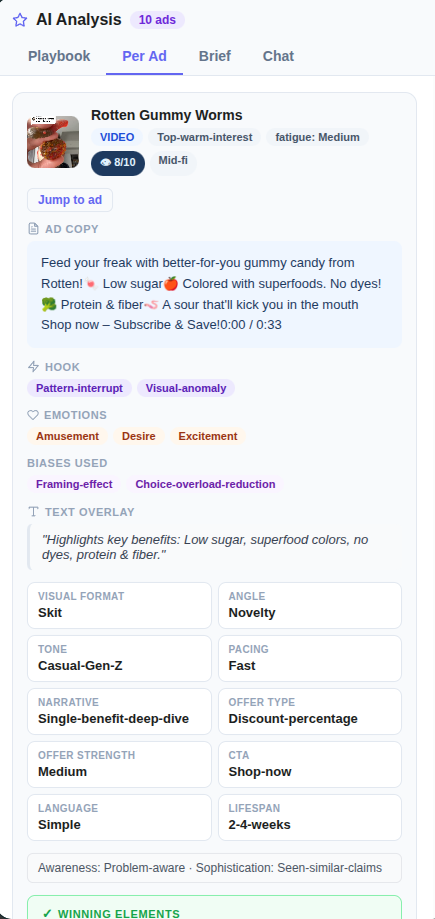
TRUSTED BY BRANDS WORLDWIDE




Why Marketing Agencies Choose SpreshApp
Team research is scattered across personal drives
Every strategist has their own screenshot folder. No shared library, no institutional knowledge. SpreshApp gives your team one organized creative intelligence hub that scales with your client roster.
Onboarding new clients takes too long
Competitive research for new clients eats up hours. With SpreshApp, senior strategists build saved libraries by niche. When a new client comes in, the team already has a head start on competitive context.
Client presentations require manual competitive analysis
Building competitive slide decks from scratch every quarter is exhausting. SpreshApp folders become living competitive intelligence documents. Share the link directly with clients, or export for reports.
How Agencies Use SpreshApp
Team-wide competitive research library
Build shared folders by vertical (eCommerce, SaaS, DTC). Every strategist contributes. New hires get instant access to institutional creative knowledge instead of starting from zero.
- 1. Create shared folders by vertical
- 2. Team members contribute competitor research
- 3. Build institutional creative knowledge
- 4. New hires access library from day one
- 5. Scale research without scaling headcount
Client onboarding and audit process
During onboarding, save 50-100 competitor ads. Present the competitive landscape in the kickoff call with visual references. Clients see you've done the homework before you've even started the work.
- 1. Save 50-100 competitor ads during onboarding
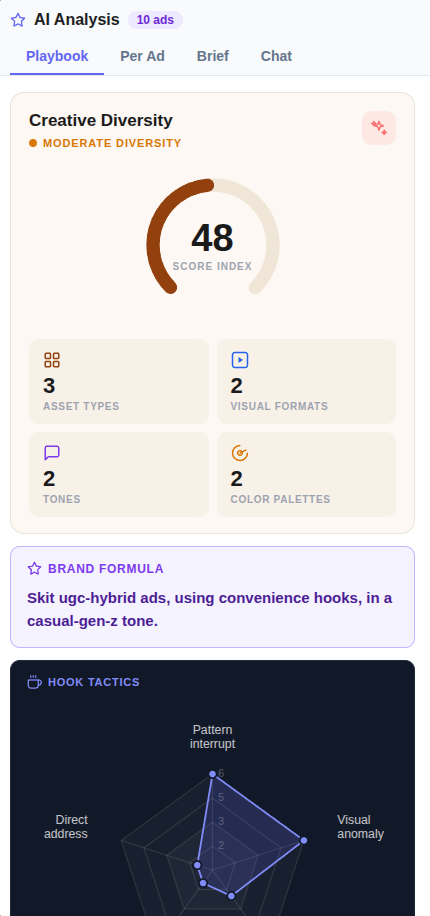
- 2. Analyze competitive landscape with AI
- 3. Present visual references in kickoff call
- 4. Demonstrate thorough preparation
- 5. Start strategy discussions with data, not assumptions
Quarterly competitive reviews
Maintain ongoing folders for each client. Add new competitor ads weekly. At quarter's end, share the folder to show how the competitive landscape has shifted and what creative opportunities exist.
- 1. Maintain ongoing folders per client
- 2. Add new competitor ads weekly
- 3. Track landscape shifts over time
- 4. Share quarterly competitive reviews
- 5. Identify new creative opportunities
Multi-seat collaboration
Team members can access the same shared folders, tag ads collaboratively, and build on each other's research. No more "who has that screenshot?" or lost references.
- 1. Team accesses shared folders
- 2. Collaborative tagging and organization
- 3. Build on each other's research
- 4. Eliminate lost references
- 5. Create single source of creative truth
Pricing
Choose the plan that fits your workflow. Toggle monthly vs annual billing and start scouting today.
Solo
1 seat
Billed annually
Get SoloGrowth
5 seats
Billed annually
Get GrowthAgency
10 seats
Billed annually
Get AgencyWorks with your AI tools




Need more? Contact us for custom plans and enterprise solutions.
Contact SalesFAQ
Everything you need to know before you start.
How many team seats can I have on SpreshApp?
How many team seats can I have on SpreshApp?
Every plan includes team seats. The Starter plan includes 2 seats, Pro includes 5, and we offer custom enterprise pricing for larger teams. Each team member gets full access to shared libraries.
Can different team members work on different clients?
Can different team members work on different clients?
Yes. Create folders by client or vertical and assign team members accordingly. Everyone can access shared resources while keeping client work organized and separate.
How does pricing work for agencies?
How does pricing work for agencies?
SpreshApp is priced per seat, not per client. One subscription covers your entire team's access. Unlike competitors that charge per client account, you can manage unlimited clients from one SpreshApp workspace.
Can clients access our saved ad folders?
Can clients access our saved ad folders?
Share folders via public link. Clients can view the saved ads without needing a SpreshApp account. Great for collaborative review sessions and getting buy-in on creative direction.
Do you offer agency-specific features?
Do you offer agency-specific features?
We're building features specifically for agencies including white-labeled folder sharing, client-specific workspaces, and team analytics. Contact us to join our agency beta program.