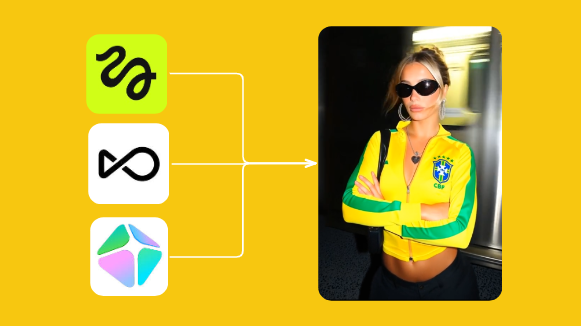
Most Facebook ad creative looks the same. Same lifestyle shot. Same bottom-third text overlay. Same color palette borrowed from whatever was trending six months ago. Designers follow other designers, and the result is a feed full of ads that are impossible to tell apart.
The irony is that differentiation is easier than it sounds. You don't need a bigger budget or a better photographer. You need to understand how the visual structure of an ad does its job before anyone reads a single word.
What happens in the first 3 seconds
Before your audience reads your headline, before they process your offer, before they form any opinion about your brand at all, their visual cortex has already made a decision. Scroll or stop.
This is why the opening frame is so consequential. The visual hook and the spoken or written hook work together. If you haven't thought carefully about what makes a hook land, the strongest visual structure in the world won't save a weak opening.
That decision is driven entirely by visual structure. The contrast ratio of the first frame. Whether there's a face, and where it's positioned. Whether something in the frame is unexpected enough to register as different from the content around it.
This is what the "thumb-stop" concept actually refers to. Not a clever headline. Not a discount badge. A visual pattern that interrupts the brain's pattern-recognition routine and forces attention. Once you understand this, you stop thinking about ad creative as "design" and start thinking about it as signal engineering.
High contrast first frames outperform lifestyle photography
Lifestyle photography looks good in isolation. It performs poorly in a feed because the feed is full of lifestyle photography. Your ad is competing for attention against content from friends, news, and other brands. The images that stand out are the ones that look different from everything else.
High-contrast first frames work for a simple reason: they're visually different. A bold single color background with a product center-framed. A bright red text card on black. A close-cropped face with an unusual expression. These patterns read as "not the same as what came before" in a way that polished lifestyle shots don't.
This doesn't mean lifestyle photography is dead. It means the first frame needs contrast, not beauty. You can cut from a high-contrast hook into lifestyle footage. Many of the best-performing video ads do exactly that.
Text on video: what retains attention vs. what kills it
Text on video is everywhere now. Most of it is used badly. Subtitle-style captions at the bottom of the screen are table stakes, not a strategy. What drives retention is text that adds information the video alone doesn't carry.
The structures that work well are large, high-contrast text cards that appear early (in the first two seconds), and text that reinforces the hook rather than just transcribing the voiceover. If someone is watching with sound off and the text says the same thing the face on screen is mouthing, you haven't added anything.
A better pattern: open with a text-card question or statement, then cut to the creator or product. The text creates curiosity. The video resolves it. This structure holds attention through the transition rather than losing it at the cut.
Motion patterns: fast cuts vs slow reveals
Fast cuts work in the hook. Slow reveals work in the middle. Mixing them up is where most video creative goes wrong.
The first three seconds should be fast. Multiple cuts, quick pacing, or a single frame with high visual energy. This matches the behavior of someone scrolling quickly. Once you've earned a pause, you can slow down. A single product shot held for three seconds feels like forever during a hook, but feels considered and confident after you've already stopped the scroll.
What kills retention is a slow open followed by frantic cuts in the middle. The person who almost scrolled past you during the slow open is gone. The person who stopped gets confused by the pacing change. Keep the first three seconds high-energy, then earn your deliberate moments.
UGC vs polished creative: when each format wins
This is a common source of confusion, and the answer is less about format and more about trust distance.
UGC wins when the product requires trust before purchase. Supplements, skincare, anything with a health claim, anything that requires the buyer to believe it works. A real person talking to camera, with imperfect lighting and natural speech patterns, is more believable than a polished brand video. The low production value is part of the signal.
Polished creative wins when the product sells on aspiration or aesthetics. Apparel, home goods, accessories. A high-quality visual communicates that the product itself is high quality. The production value mirrors the product value.
The mistake is assuming one format is universally better. The right question is: what does my buyer need to feel before they'll buy? If it's trust, lean UGC. If it's aspiration, lean polished. Many brands run both in parallel, which is smart. The anatomy of a winning UGC ad is actually quite specific, and it's worth understanding it separately from the visual structure questions above.
How to analyze winning visuals with Spreshapp
The fastest way to build visual intuition is to study what's actually running. Not what looks good in design portfolios, but what brands are spending money to keep live. A brand doesn't run an ad for 30, 60, 90 days unless it's converting.
With Spreshapp's ad browser, you can search by keyword or competitor and filter by what's been running longest. Look at the first frame of every ad. What's the contrast ratio? Is there a face? Is there text? What's the pacing of the first three seconds?
Save the ones you find interesting to your saved ads library. Tag them by visual pattern: "high contrast," "text hook," "UGC open," "product center-frame." Over time, you'll build a pattern library that's based on real data, not instinct.
The Chrome extension makes this fast. You can save any ad from the Meta Ad Library in one click without touching DevTools. Install the Spreshapp Chrome extension and start tagging what you see.
A checklist for evaluating your own creative before launch
Run every new creative through these questions before you spend a dollar. Once you've launched, a structured creative testing system is what turns these evaluations into compounding knowledge rather than one-off guesses.
- Does the first frame have enough contrast to stop a fast scroll?
- Is there a face in the first two seconds, and is it showing a distinct emotion?
- If the sound is off, does the visual hook still make sense?
- Does any text in the first frame add information, or just repeat what's visible?
- Is the pacing fast in the first three seconds, then deliberate?
- Is the format (UGC vs polished) matched to what the buyer needs to feel?
- Does this look visually different from the last five ads in my saved library?
The last question is the most important and the easiest to skip. Pull up your saved ads and put your new creative next to what competitors are running. If it looks like theirs, it won't stop anyone.
Visual differentiation isn't a design philosophy. It's a conversion requirement. The scroll doesn't care about your brand guidelines.