Connect Ad Library to ChatGPT
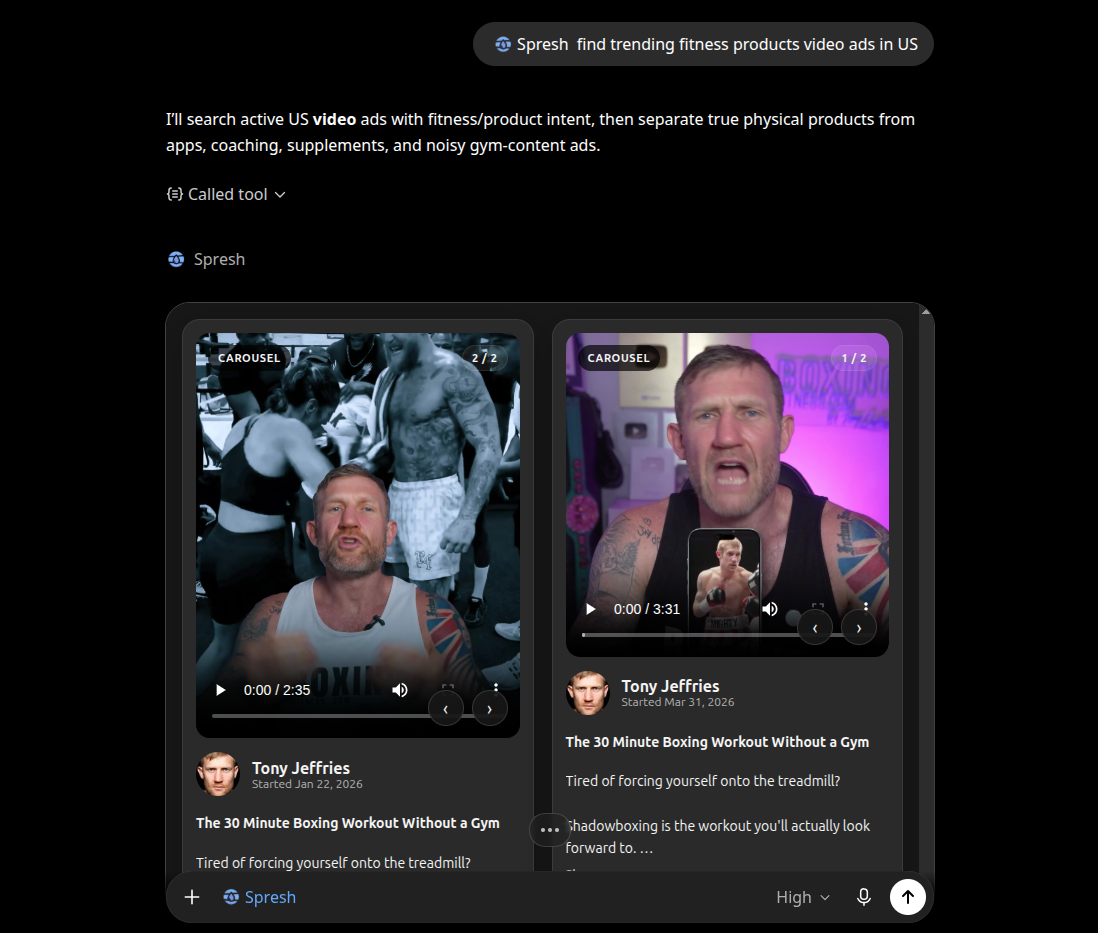
Paste the hosted MCP URL, approve the Google auth redirect, and let ChatGPT search live Facebook ads, inspect competitors, and break down creative patterns inside the chat.
Install
Three clicks to live
Same URL, same OAuth, same Spresh tools.
Open ChatGPT, then Settings, then Connectors
If your workspace supports custom connectors, choose Add custom connector. ChatGPT will ask for the MCP server URL next.
Paste the Spresh MCP URL
Use the hosted endpoint below. ChatGPT reads the MCP and OAuth metadata automatically. No client ID, secret, or JSON editing is needed for this flow.
https://api.spreshapp.com/mcp Authorize with your Spresh account
ChatGPT sends you to the Spresh Google sign-in flow. Approve access, return to ChatGPT, and the tools appear connected.
FAQ
Before you connect
Do I need to paste an API key into ChatGPT?
No. This ChatGPT flow uses the hosted MCP endpoint and signs you in through the Google auth redirect. You do not need to add a Bearer header on this page.
What do I paste into ChatGPT?
Paste the hosted Spresh MCP URL: https://api.spreshapp.com/mcp. ChatGPT reads the MCP metadata from that endpoint and starts the auth flow.
What can ChatGPT do once connected?
It can find brand pages, pull live active ads, inspect ad details, and analyze creative hooks, offers, personas, and messaging patterns from Spresh.
Who is this page for?
Anyone using a ChatGPT plan or workspace that exposes custom connectors. If you can open Connectors and add a custom connector, this is the setup flow.
Ready
Connect ChatGPT to live Facebook ad intelligence
Use the hosted Spresh MCP endpoint, approve the sign-in redirect, and start pulling real ad data into your next research thread.